
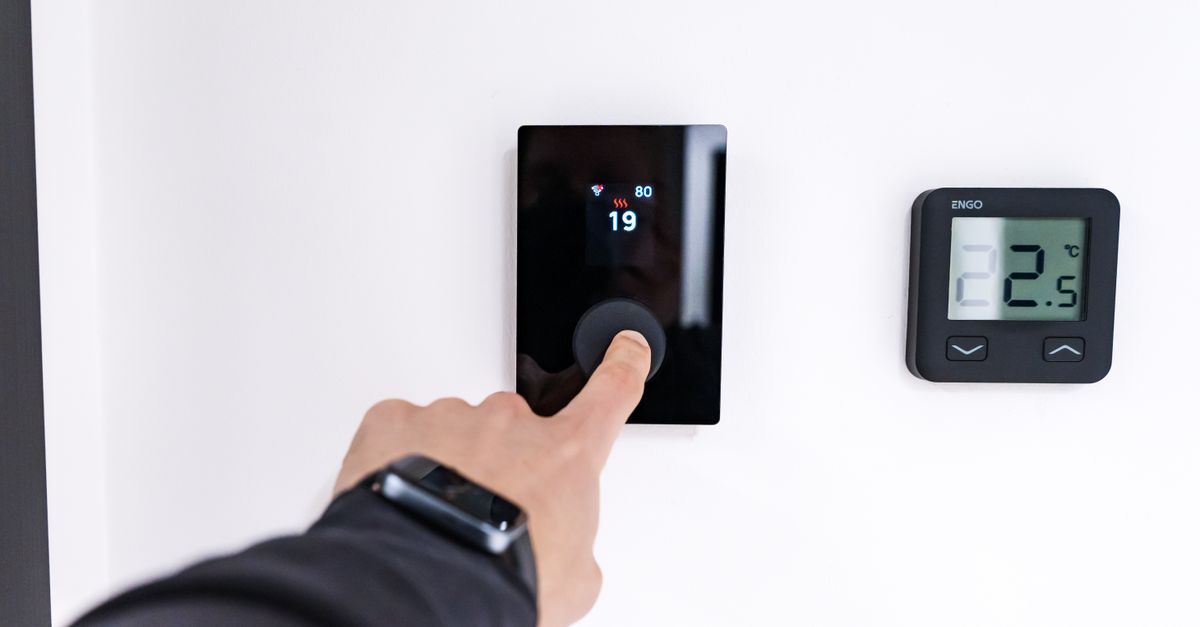
The real difference between Nest and Ecobee isn’t features—both integrate with smart home systems, both have mobile apps, both show you energy use. It’s philosophy. Nest is a black box that learns your temperature preferences and handles scheduling for you. Ecobee hands you the controls: remote sensors, manual schedules, automations you configure yourself. If you want your home to figure you out, buy Nest. If you want to tell your home exactly what to do, buy Ecobee.
Quick verdicts:
- Nest Learning Thermostat (3rd gen) is best for single-temperature Google Home households who want zero ongoing maintenance
- Ecobee SmartThermostat with Voice Control is best for multi-story homes with hot/cold spots, or anyone using Alexa, HomeKit, or multiple smart home platforms
- Ecobee SmartThermostat with Voice Control + Smart Sensor is best for homes where different rooms need different temperatures at different times
Picked your thermostat? Fixer Daily has a step-by-step on installing a smart thermostat yourself. Before you buy, check your existing wiring—compatibility matters more than features.
At a glance
| Feature | Nest 3rd Gen | Ecobee Smart + Voice | Ecobee Smart + Voice + 1 Sensor |
|---|---|---|---|
| Price (verified 2025-01-15) | $179–229 (MSRP $249) | $159–189 (MSRP $199) | $279–329 (MSRP $349) |
| Display | 2.1” round color touchscreen | 3.5” round monochrome touchscreen | Same |
| Learning/auto-scheduling | Yes (learns over 1–2 weeks) | No; manual only | No; manual only |
| Remote sensors included | 1 (occupancy only) | 0 | 1 (temp + occupancy) |
| Max remote sensors | 1 | 32 | 32 |
| Platform support | Google Home only | Google Home, Alexa, HomeKit, IFTTT | Same |
| Built-in voice control | No (requires Google Home speaker) | Yes (Alexa built-in) | Yes (Alexa built-in) |
| C-wire workaround | Adapter required (sold separately) | Power Extender Kit included | Power Extender Kit included |
| Biggest weakness | Can’t solve multi-room temperature problems | Requires manual setup and scheduling | Higher upfront cost |
Will these work in your home? Check compatibility first
Both thermostats require 24V HVAC systems, but the wiring details determine whether installation is simple or impossible. According to Google’s compatibility documentation, Nest requires a C-wire (common wire) for reliable power in most installations, especially multi-stage heating systems and heat pumps. If your current thermostat doesn’t have a C-wire, you’ll need to purchase Nest’s separate Power Connector adapter or hire an electrician to run new wire.
Ecobee’s support documentation shows it includes a Power Extender Kit in the box—a workaround that pulls continuous power from your furnace’s fan circuit when no C-wire exists. This matters in older homes where running new wire means cutting drywall.
Both support most common HVAC configurations: single-stage and multi-stage heating and cooling, heat pumps with auxiliary heat, humidifiers, and dehumidifiers. Neither works with high-voltage systems (120V or 240V baseboard heaters, electric radiators, some older furnaces). If your current thermostat uses thick wires or connects directly to a circuit breaker, you have a high-voltage system—these thermostats won’t work without a transformer.
The compatibility check tools on both manufacturer sites ask you to identify your existing wiring. Do this before buying. A thermostat you can’t install is more expensive than one that costs slightly more but works with your system.
Nest Learning Thermostat (3rd gen) — best for hands-off Google Home users
The Nest Learning Thermostat is Google’s set-it-and-forget-it option. Install it, set one temperature, and it learns your pattern within a week or two. According to Nest’s setup documentation, it uses motion detection and Google Location Sharing to figure out when you’re home, when you’re away, and what temperature you prefer at each time of day. After the first two weeks, you rarely need to touch it.
That learning comes with real caveats. It only learns if you manually adjust the temperature or explicitly confirm comfort through the app. If you never interact with it, it won’t optimize. The learning also resets seasonally—when you switch from heating to cooling in spring, it starts fresh. And if Location Sharing accidentally disables on anyone’s phone, geofencing stops working silently, without an alert.
The bigger constraint: Nest is Google-locked. No HomeKit support, limited Alexa integration, and voice control requires a separate Google Home speaker. If you’re already deep in Google’s ecosystem, that’s fine. If you’re mixed-platform, it’s a wall.
Current street price: $179–229 (Amazon and Best Buy frequently discount; Google Store holds MSRP at $249).
Strengths:
- Truly hands-off learning—no manual scheduling needed after setup
- Clean, minimal interface that blends into the wall
- Excellent geofencing if everyone in your household uses Google Location Sharing
- ENERGY STAR certified for efficiency (ENERGY STAR database)
- Frequently discounted (often below MSRP)
Weaknesses:
- Locked to Google ecosystem—no HomeKit, limited Alexa support
- Cannot solve multi-room temperature problems (one sensor, one temperature curve)
- Learning resets seasonally and requires 1–2 weeks to stabilize
- No built-in voice control (requires a separate Google Home speaker)
- Requires C-wire or separate adapter for most installations
- Location Sharing disabling can break geofencing without alerting you
Best for: Single-family homes with uniform temperature needs, Google Home-primary households, buyers who want zero ongoing maintenance.
Ecobee SmartThermostat with Voice Control — best for multi-platform households
Ecobee doesn’t learn—you set the schedules yourself. That’s more upfront work (typically 15–30 minutes), but it gives you control Nest can’t match. According to Ecobee’s documentation, you can configure up to three custom schedules, set automations based on temperature and humidity, and add up to 32 remote sensors that measure both temperature and occupancy. Put a sensor in the bedroom, and the thermostat prioritizes bedroom temperature at night. Put one in the home office, and it adjusts that room during working hours.
This is the real differentiator: Ecobee solves the multi-room comfort problem. If your upstairs is always hot or your basement is always cold, Nest has no answer—it has one sensor and learns one temperature curve. Ecobee lets you target temperature by room and time of day.
Platform flexibility is the second advantage. Ecobee works equally well with Google Home, Alexa, and HomeKit. It integrates with Matter and Thread standards, making it compatible with the latest smart home protocols. If you have Alexa speakers in the kitchen and Google Home in the living room, Ecobee plays nicely with both. Nest doesn’t.
Setup requires active decision-making—you pick wake time, departure time, return time, sleep time, and desired temperature for each. Some buyers find that tedious. Others find it reassuring; you know exactly what it’s doing and why.
Current street price: $159–189 (base model without sensors).
Strengths:
- Multi-room comfort control with remote sensors (each measures temp + occupancy)
- Works equally well with Google Home, Alexa, HomeKit, IFTTT—no ecosystem lock-in
- Advanced scheduling (up to 3 custom schedules + unlimited automations)
- Built-in voice control (Alexa built-in)
- Detailed energy reports with per-day cost breakdowns
- Power Extender Kit included (no separate C-wire adapter purchase needed)
- ENERGY STAR certified (ENERGY STAR database)
- Removable wall plate design (matters for renters)
Weaknesses:
- Requires manual setup—no automatic learning
- Setup can feel overwhelming for smart home newcomers
- Base model doesn’t include remote sensors (sold separately)
- More granular control also means more options to misconfigure
Best for: Multi-story homes with hot/cold spots, multi-platform households, buyers with complex heating/cooling needs, HomeKit users, renters.
Ecobee SmartThermostat with Voice Control + Smart Sensor — best for immediate multi-room comfort

This is the base Ecobee bundled with one remote sensor. That sensor measures temperature and occupancy, so you can tell the thermostat to prioritize a specific room at a specific time. The bundle costs substantially more than the base model, but buying the sensor separately adds shipping time and a second setup process.
If you have uneven heating or cooling in your home—a hot upstairs, a cold basement, a drafty bedroom—this bundle solves it immediately. You don’t have to buy, install, and configure a separate sensor later.
Strengths:
- Same as base Ecobee, plus immediate multi-room comfort control
- Sensor works out of the box—no separate purchase order or setup
- Can add up to 31 more sensors if needed later
Weaknesses:
- Higher upfront cost than base model
- Still requires manual scheduling (no learning)
- Only one sensor included (many homes benefit from two or more)
Best for: Homes with known hot/cold spots, buyers who want multi-room control from day one, anyone avoiding the hassle of a separate sensor purchase.
Learning vs. scheduling: Which approach wins?
Nest learns your schedule by watching when you adjust the thermostat and when you’re home. It takes 1–2 weeks to stabilize and resets seasonally. You can override the learning with manual schedules, but that defeats the purpose—if you’re going to schedule manually anyway, Ecobee gives you better control.
Ecobee doesn’t learn. You set schedules yourself: wake, leave, return, sleep. You pick the temperatures. You build the automations. It’s more work up front, but you know exactly what it’s doing and when.
The choice here is philosophical, not technical. If you want your thermostat to figure you out passively over time, Nest is better. If you want explicit control, Ecobee is better. Neither is objectively superior—it depends on how you want to interact with your home.
Multi-room comfort: The deciding factor for most homes
Nest has one sensor (occupancy detection only, no temperature measurement) and learns one temperature curve for the whole house. If your bedroom is always too warm or your basement is always too cold, Nest has no solution. You’d need to install multiple Nest thermostats (expensive and redundant) or accept uneven comfort.
Ecobee supports up to 32 remote sensors, each measuring temperature and occupancy. You tell the thermostat which rooms to prioritize at which times. This actually solves the multi-room problem—it’s not a workaround, it’s the core feature.
If your home has uniform temperature needs, Nest is fine. If you have hot/cold spots or different comfort needs by room, Ecobee is the only real option.
Energy savings: What to expect
Both thermostats carry ENERGY STAR certification, which requires smart thermostats to meet efficiency criteria for reducing HVAC runtime through scheduling and automation. According to the ENERGY STAR product database, both the Nest Learning Thermostat and Ecobee SmartThermostat qualify under the smart thermostat specification.
Google claims Nest’s learning algorithm reduces energy use, but those figures come from manufacturer studies rather than independent verification. Ecobee provides detailed energy reports showing daily runtime and estimated costs, which helps you identify wasteful patterns, but doesn’t claim specific savings percentages.
Both will save energy compared to a non-programmable thermostat, but the actual savings depend on your usage patterns, local climate, and how well you configure either system. A poorly configured smart thermostat can waste more energy than a simple programmable one you actually use.
Platform integration: Google vs. Alexa vs. HomeKit

Nest works with Google Home and Google Assistant. Limited Alexa support exists (you can change temperature via voice, but geofencing and full automation require Google Home). No HomeKit support. If you’re Google-first, this isn’t a problem. If you’re mixed-platform, it’s a constraint.
Ecobee works with Google Home, Alexa, HomeKit, IFTTT, and Zapier. It supports Matter and Thread connectivity standards, positioning it for long-term compatibility as smart home protocols evolve. It doesn’t favor one platform. If your smart home includes Alexa speakers, Google Nest cameras, and Apple TV, Ecobee fits seamlessly. Nest doesn’t.
Security and firmware updates: Long-term support matters
For a hardwired device you’ll own for 5–10 years, security updates matter. According to NIST’s cybersecurity guidelines for connected devices, smart home devices should receive regular firmware updates to address vulnerabilities and maintain security over their operational lifetime.
Both manufacturers push firmware updates automatically when connected to WiFi. Google’s support documentation shows ongoing updates for the Nest Learning Thermostat 3rd generation since its 2015 launch, though specific security patch details aren’t publicly disclosed. Ecobee similarly releases regular firmware updates, with version notes available through the Ecobee support portal.
Neither manufacturer publishes a guaranteed support window. Both thermostats receive updates years after purchase based on their update history, but there’s no contractual commitment to a specific support timeline. If you’re concerned about long-term security support, look for manufacturers that publish clear end-of-life policies—currently, neither Google nor Ecobee does this transparently.
How we compared these
We reviewed manufacturer specs from Google and Ecobee, cross-referenced pricing from Amazon, Best Buy, and each company’s official store (verified January 15, 2025), and consulted user discussions on Reddit’s r/Nest and r/Ecobee communities to understand real-world behavior. We didn’t test these thermostats side-by-side in the same home—this analysis is based on manufacturer documentation, third-party reviews, and verified user reports.
The multi-room capability claim for Ecobee is based on manufacturer sensor specifications and user-reported experiences. The learning timeline for Nest is from Google’s official setup guide and community feedback. Pricing reflects street prices as of January 2025; both products discount periodically.
FAQ
Will Nest or Ecobee work with my existing HVAC system?
Both are compatible with most 24V HVAC systems (furnace + AC), but wiring matters. Nest typically requires a C-wire for reliable operation; if you don’t have one, you’ll need to purchase a separate adapter or hire an electrician. Ecobee includes a Power Extender Kit in the box for C-wire-less installations. Neither works with high-voltage systems (120V/240V baseboard heaters or line-voltage thermostats). Use the compatibility checker tools on both manufacturer websites before purchasing.
Which one actually saves more energy?
Both carry ENERGY STAR certification. Google claims Nest reduces energy use through learning, but independent verification of specific savings percentages is limited. Ecobee provides more granular energy reports (daily cost breakdowns), which help you identify wasteful patterns, but doesn’t claim specific savings percentages. Both will save energy compared to a non-programmable thermostat, but the actual savings depend on your usage patterns and how well you configure either system.
Can I use Nest with Alexa or Ecobee with Google Home?
Yes, but asymmetrically. Ecobee works equally with Google Home and Alexa—full voice control, geofencing, and automation on both. Nest works fully with Google Home but only partially with Alexa (you can change temperature via voice, but geofencing and complex automations require Google Home). If Alexa is your primary platform, Ecobee is the better choice.
What if I move?
Both thermostats move easily. Nest ties to your Google account; factory reset, uninstall, reinstall, sign in at the new location. Ecobee ties to your WiFi; disconnect, move, reconnect to the new network. Both have removable faceplates, but Ecobee’s is designed for cleaner removal—relevant if you’re renting and need to reinstall the original thermostat when you leave.
How long will these receive security updates?
Neither Google nor Ecobee publishes a guaranteed support window. Both have released firmware updates for years after product launch based on their update history, but there’s no contractual commitment. Both push updates automatically when connected to WiFi. For a device you’ll own for many years, the lack of a published end-of-life policy is a weakness for both brands.
Affiliate disclosure: This article contains affiliate links. If you purchase through these links, Comparisony earns a commission at no additional cost to you. Our recommendations are based on research and user-reported experiences, not commission rates.
The bottom line
If your home has uniform temperature needs and you’re already using Google Home, Nest is the simpler choice—install it, let it learn, and move on. If you have hot/cold spots or use multiple smart home platforms, Ecobee’s room-by-room control and platform flexibility justify the extra setup time. Check compatibility before you buy—the best thermostat is the one that actually works with your HVAC system.