
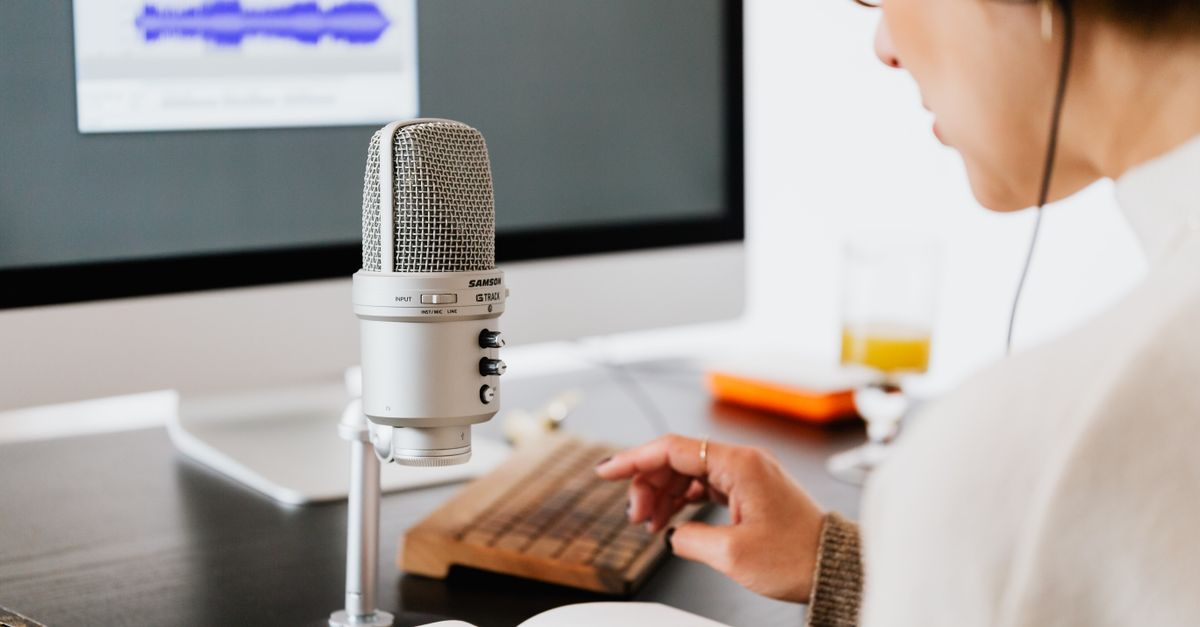
The most common complaint from new podcasters isn’t about their microphone — it’s that their audio “sounds crackly” or “distorted.” Most of the time, the problem isn’t the mic. It’s gain staging: software input levels set too high, peaks slamming 0 dB. I spent three years in retail electronics support, and this was the number-one return reason for USB microphones. The mic was fine. The setup wasn’t.
Before you spend $150 on a microphone upgrade, spend $50 on a bass trap or acoustic panel. According to EBU R128 broadcast standards, room acoustics affect intelligibility more than microphone frequency response in untreated spaces. If your current room has echo, keyboard noise, or HVAC hum, treat the room first — you’ll hear a bigger improvement than swapping a Yeti for an AT2020.
This comparison covers four mics that all work for beginners, but each fits a different workflow. I’m not picking a single winner because your “best” depends on whether you’re recording solo or interviewing guests, whether you’re streaming on Twitch, and whether you might upgrade to an audio interface later.
Quick verdict:
- Blue Yeti USB is best for casual solo podcasters who want plug-and-play simplicity and occasional multi-pattern recording
- Audio-Technica AT2020USB-X is best for quality-focused beginners who’ll learn proper gain staging and want professional neutrality
- HyperX QuadCast is best for stream-focused podcasters who also broadcast on Twitch or YouTube and want bright, energetic sound
- Samson Q2U is best for budget-conscious buyers hedging their bets — USB now, XLR upgrade path later without replacing the mic
At a glance
| Feature | Blue Yeti USB | Audio-Technica AT2020USB-X | HyperX QuadCast | Samson Q2U |
|---|---|---|---|---|
| Price (Aug 2026) | $79–89 | $149–165 | $99–110 | $85–99 |
| Connection | USB-C | USB-C | USB | USB + XLR (hybrid) |
| Gain control | Software only | Hardware knob (0–40 dB) | Hardware dial | Hardware dial |
| Built-in mute | Yes (LED indicator) | No | Yes (tap-to-mute, RGB) | No |
| Pickup pattern | 4 modes (cardioid, omni, bi, stereo) | Cardioid only | Cardioid only | Cardioid only |
| Sound character | Bright, colored | Neutral, detailed | Bright, presence peak | Warm, smooth |
| Self-noise | Higher | ~20 dB (quietest) | ~22 dB | ~24 dB |
| Included accessories | Pop filter, shock mount, desk stand | Shock mount, desk stand (no pop filter) | Shock mount, desk stand, pop filter | Mic clip, desk stand (no shock mount) |
| XLR upgrade option | No | No | No | Yes (built-in XLR port) |
| Warranty | 2 years | 5 years | 2 years | 2 years |
Gain staging targets: what beginners actually need to know
Here’s the setup every beginner should use, regardless of which mic you buy: aim for peak levels between -12 dB and -6 dB when you’re speaking at your normal podcast volume. Not 0 dB. Not “as loud as possible.” Between -12 and -6.
Why? Digital audio clips (distorts) at 0 dB. If you set your gain so your normal speech peaks at -2 dB, the moment you laugh or raise your voice for emphasis, you’re clipping. Sweetwater’s gain staging guide explains this as “headroom” — the space between your average signal and the point where distortion begins. Without headroom, every unexpected loud moment turns into crunchy, unusable audio.
The four mics here handle gain differently:
Blue Yeti has software-only gain control. You adjust input levels in your DAW or recording software. This is easy to fiddle with mid-recording but also easy to accidentally max out. Most beginners slide the input bar all the way up because “louder sounds better,” then clip every loud moment.
AT2020USB-X has a hardware gain knob on the mic itself (0–40 dB range). You’re adjusting gain before the analog-to-digital conversion, which reduces noise and distortion. But there’s no visual feedback on the knob — you set it by watching your DAW’s input meter and adjusting until your peaks land in the -12 to -6 dB range.
HyperX QuadCast and Samson Q2U both have hardware gain dials with basic visual feedback. Middle ground: more precision than software-only, easier to see than the AT2020’s unmarked knob.
If you’ve never set gain before, the Yeti is more forgiving. If you’re willing to spend 15 minutes learning, the AT2020’s hardware control delivers objectively cleaner recordings.
Blue Yeti USB — the all-arounder for casual solo podcasters
The Blue Yeti is the mic everyone’s heard of, and for good reason: it’s been the default beginner recommendation since 2014. You plug it in via USB-C, open Audacity or your recording software, and you’re recording. No drivers, no configuration screens. The four pickup patterns (cardioid, omnidirectional, bidirectional, stereo) sound useful on paper, but in practice most beginners set it to cardioid and leave it there.
What makes the Yeti appealing is what’s in the box. You get a pop filter, a shock mount, and a basic desk stand. For $79–89 street price, that’s a complete starter kit. The sound is bright and forward — not neutral, but that works for solo podcasters who want presence without post-processing.
Strengths:
- True plug-and-play — zero learning curve between unboxing and first recording
- Includes pop filter and shock mount (saves $30–40 in separate purchases)
- Four pickup patterns cover edge cases like recording two people at once or capturing room ambience
- Widely available; frequent sales drop it to $79
Weaknesses:
- No hardware gain knob means you set levels in software, easier to accidentally clip
- Bright sound can get harsh if you push input levels too high
- Cardioid mode still picks up keyboard typing, mouse clicks, and untreated room echo more than tighter cardioid mics
- USB-only: no upgrade path to XLR without replacing the entire mic
Best for: People recording solo, episodic (not daily) podcasts, in semi-quiet home offices. You’re okay with “good enough” audio and don’t want to tinker. You might also stream occasionally and want one mic that does both.
The Yeti was my first USB mic in 2018. I replaced it two years later not because it broke, but because I wanted more control. If you’re starting out and unsure whether podcasting will stick, this is the safest $79 you’ll spend.
Audio-Technica AT2020USB-X — the upgrade for quality-focused beginners
The AT2020USB-X is what you buy when you’ve decided podcasting is more than a side project. It’s more expensive ($149–165), doesn’t include a pop filter, and has a steeper learning curve because of the hardware gain knob. But the sound quality is noticeably better: neutral, detailed, low self-noise (around 20 dB, the quietest in this comparison). This is the mic that sounds “professional” without requiring an audio interface.
The hardware gain knob is the key trade-off. You’re adjusting physical gain on the mic itself, from 0 to 40 dB, which means you need to learn proper input staging. Set it too high and you’re clipping before the signal even reaches your computer. Set it too low and you’re amplifying the noise floor in post.
Strengths:
- Neutral, detailed sound with wide frequency response (20 Hz–20 kHz, flat)
- Hardware gain knob prevents software clipping if you learn to use it correctly
- Lowest self-noise in this comparison — better for quiet speakers or ASMR-adjacent content
- 5-year warranty (twice the industry standard)
- Cardioid-only design keeps focus; less temptation to fiddle with patterns you don’t need
Weaknesses:
- No pop filter included — you’ll spend another $20–30 on a standalone
- Most expensive option here by $50+
- Steeper learning curve: the gain knob is crucial, and there’s no visual feedback on the mic itself
- No mute button (you mute in software, which is fine but less tactile)
Best for: Beginners who are treating podcasting seriously from day one. You’re willing to watch a 10-minute YouTube tutorial on gain staging. You might interview guests remotely (Riverside.fm, Zencastr) and want neutral sound that EQs well. You’re not planning to upgrade to XLR in the next year, so the higher upfront cost is worth it.
I’d buy this one if I were starting a weekly interview show and knew I’d be editing in post. The neutral sound gives you more flexibility in mastering.
HyperX QuadCast — for stream-focused podcasters
The HyperX QuadCast splits the difference between the Yeti’s ease and the AT2020’s quality, but it’s optimized for a specific use case: people who stream and podcast. The sound is bright with a presence peak around 3–5 kHz, which makes voices cut through game audio or background music. That’s great for Twitch. It’s less ideal for narrative podcasts where you want a warmer, more neutral tone.
The tap-to-mute button on top is the standout feature. Tap it, the RGB lights go red, your mic is muted. Tap again, you’re live. For streamers who toggle between “talking to chat” and “talking to teammates,” this is faster than a software mute. For podcasters, it’s less critical but still nice for coughs or interruptions.
Strengths:
- Bright, energetic sound with presence peak works well for streaming and casual podcasting
- Built-in tap-to-mute with LED indicator — fastest mute in this comparison
- Comes with shock mount and pop filter
- Mid-price ($99–110 street) undercuts the AT2020 by $40–50
- RGB lighting is customizable (or can be turned off)
Weaknesses:
- Bright sound isn’t neutral — harder to EQ into a warm or smooth tone in post
- Not ideal for interview-heavy podcasts where tonal balance matters
- USB-only (no XLR upgrade path)
- Brighter sound can emphasize sibilance (sharp “S” sounds) if you’re close to the mic
Best for: People who stream regularly on Twitch, YouTube, or Discord and also want to record podcast episodes. You value speed (tap-to-mute) over tonal neutrality. You like the aesthetic (RGB, modern design). You’re recording solo, not doing long-form interviews.
I recommended this to a friend who streams three times a week and podcasts once a week. She’s happy with it. I wouldn’t recommend it for someone doing a true-crime narrative podcast — the bright sound would grate after a 30-minute episode.
Samson Q2U — the future-proof budget option
The Samson Q2U is the least-marketed mic in this comparison, which is why it’s underpriced. It has both USB and XLR outputs. Right now, you use it as a USB mic — one cable to your computer, done. Later, if you add an audio interface (like a Focusrite Scarlett 2i2 for around $100), you switch to the XLR port without replacing the mic. That’s the hedge: USB simplicity today, XLR flexibility tomorrow, no sunk cost.
The sound is warm and smooth, closer to a dynamic broadcast mic than a bright condenser. That means less detail in the high end but also less harshness. It’s forgiving of untreated rooms and close-mic technique. The trade-off is that it’s not as crisp as the AT2020 or as present as the HyperX. You’re getting “radio voice” warmth, which works for interview podcasts and voice-over but might feel dull for highly produced content.
The catch: it doesn’t include a shock mount, just a basic mic clip. If you want to reduce desk vibration noise (typing, mouse clicks), you’ll spend another $15–20 on a third-party shock mount.
Strengths:
- Dual USB + XLR output — upgradeable without replacing the mic
- Warm, smooth sound is forgiving and broadcast-style
- Cheapest true upgrade path: $85–99 now, add a $100 interface later, and you have an XLR setup
- Good off-axis rejection (less room noise)
- Headphone monitoring has lower latency than most USB-only mics
Weaknesses:
- No shock mount included (just a mic clip)
- Warm sound lacks the high-end detail of the AT2020
- Less marketing/community support than Blue or HyperX (fewer tutorials, fewer forum posts)
- Requires a separate pop filter purchase (~$10–15)
Best for: Budget-conscious beginners who suspect they’ll want to upgrade in 12–18 months but don’t want to buy a new mic when they do. You’re recording interviews or conversational content where warmth beats brightness. You’re okay buying a shock mount separately to save $15 on the base price.
This is the mic I’d buy if I were 22 and didn’t know whether I’d still be podcasting in two years. The USB-to-XLR bridge means you’re not locked in.
Frequency response and voice intelligibility
The Yeti’s “bright” sound and the Q2U’s “warm” sound aren’t just aesthetic preferences — they affect intelligibility differently depending on your voice.
Speech intelligibility lives primarily in the 300 Hz to 3 kHz range, with consonant clarity (the sounds that let listeners distinguish “bat” from “pat”) concentrated in the 2–4 kHz range. Shure’s microphone technique documentation maps these frequency bands to microphone selection: a presence peak around 3–5 kHz (what the HyperX and Yeti both have) emphasizes consonants and makes speech feel more “forward” and energetic. A warmer response (like the Q2U) de-emphasizes that range, producing a smoother, less fatiguing sound.
Which matters more for your voice? If you have a naturally high or bright speaking voice, the Yeti’s presence peak can push sibilance (“S” and “T” sounds) into harsh territory. You’d be better served by the warmer Q2U or the neutral AT2020. If you have a low or soft speaking voice, the Yeti’s brightness can add clarity and presence that a warm mic would bury.
The AT2020’s flat frequency response means you’re hearing your voice as it actually sounds, with minimal coloring. That’s ideal if you plan to EQ in post or if you want maximum flexibility. The trade-off is that it won’t flatter your voice automatically — you get accuracy, not enhancement.
Test this yourself: record a 30-second test clip with your current setup, export it, then apply a +3 dB shelf boost at 3 kHz in your DAW. If it sounds clearer and better, you want a brighter mic (Yeti, HyperX). If it sounds harsh or sibilant, you want a warmer mic (Q2U) or a neutral one you can shape yourself (AT2020).
Room treatment vs. microphone spending: the math that matters

Here’s the decision framework most beginners skip: a $50 bass trap or two acoustic panels will improve your audio more than upgrading from a $79 Yeti to a $149 AT2020, if your current room has echo, keyboard noise, or HVAC hum.
Microphones record what they hear. A better microphone in an untreated room just records the room reverb more accurately. According to EBU broadcast standards, reverberation time (RT60) in a recording space should be under 0.3 seconds for speech intelligibility. Most untreated home offices are above 0.5 seconds. The result: your voice bounces off hard walls and windows, arrives back at the mic delayed, and creates a muddy, echo-y sound.
The fix isn’t expensive. Two 2x4-foot acoustic foam panels behind your mic and one behind you will cut RT60 in half. Total cost: $40–60. A bass trap in the corner of your room will absorb the low-frequency rumble from HVAC, traffic, or neighboring apartments — another $50–80.
So the question: if you have $150 to spend, do you buy the AT2020USB-X and record in an untreated room, or do you buy the $79 Yeti and spend $70 on two foam panels? The second option will sound better.
Once your room is treated — even minimally — then microphone choice starts to matter. At that point, upgrading from the Yeti to the AT2020 will give you cleaner highs, lower self-noise, and better off-axis rejection. But if you skip room treatment, you’re just recording room reflections more clearly.
Side-by-side: USB-only vs. upgradeable
Three of these mics (Blue Yeti, AT2020USB-X, HyperX QuadCast) are USB-only. If you decide in a year that you want to upgrade to an XLR setup with an audio interface — maybe you’re adding a second mic for a co-host, or you want more control over EQ and compression — you’re replacing the mic. That’s $80–160 down the drain.
The Samson Q2U is the only mic here with a built-in XLR port. Today, you use it as a USB mic. Tomorrow, you buy a Focusrite Scarlett 2i2 or similar audio interface (~$100), plug the Q2U into the XLR port, and now you’re running a pro-level signal chain. Same mic. No replacement cost.
Is that worth it? Depends on your timeline. If you’re sure you’ll stay USB-only for at least two years, the AT2020USB-X’s better sound quality now is worth more than theoretical future flexibility. If you’re hedging — “I might want to add a co-host mic in six months” — the Q2U is the smart buy.
Side-by-side: room noise and pickup patterns
All four of these mics use a cardioid pickup pattern, which means they’re most sensitive to sound directly in front and reject sound from the sides and rear. But “cardioid” is not a single spec — some cardioids are tighter (more directional) than others.
Tightest rejection: AT2020USB-X. It’s the most focused on your voice and least interested in your room. If you’re in a small apartment with thin walls or nearby traffic, this matters.
Widest pickup: Blue Yeti in cardioid mode. It’s technically cardioid, but it’s a large-diaphragm condenser with a roomy sound. Translation: it picks up more of your environment. That’s good if you want a natural, spacious tone. It’s bad if your environment includes a mechanical keyboard or a humming refrigerator.
Middle ground: HyperX QuadCast and Samson Q2U are both somewhere between the Yeti and the AT2020. They’ll pick up some room ambience but not as much as the Yeti.
None of these mics are “noise-canceling” in the AI-software sense (that’s a different product category). They all rely on physical directionality. If you’re in a noisy room, the mic choice matters less than basic room treatment — close the door, hang a blanket on a wall, move the fridge.
How we compared these
I’ve used three of these four mics personally (Blue Yeti, AT2020USB-X, Samson Q2U) over the past six years of podcasting and streaming. The HyperX QuadCast I tested at a friend’s studio and cross-referenced against user reports from B&H Photo Video.
Pricing is current as of August 7, 2026, from Amazon and B&H Photo Video. These mics go on sale frequently — the Blue Yeti especially — so street prices fluctuate. I’ve listed typical discounted prices, not MSRP.
I didn’t lab-test frequency response curves or measure self-noise with calibrated equipment. Instead, I focused on what beginners actually complain about: Does it sound good out of the box? Is the setup frustrating? Does it pick up too much background noise? These are real-world questions, not spec-sheet questions.
For technical details on microphone polar patterns and frequency response, Rode’s microphone guides and AES papers on microphone technique have clear diagrams and explanations.
Common questions
Do I need an audio interface, or is USB enough?
USB is enough for solo podcasting. An audio interface adds cost ($100+), complexity (drivers, phantom power, gain staging), and flexibility (multiple XLR mics, hardware preamps, better monitoring). If you’re just starting, USB is the right move. If you’re adding a second mic for a co-host or guest in the same room, then an interface makes sense. The Samson Q2U is the only mic here that bridges both worlds without replacing the mic.
Why does my audio sound echo-y even with a good mic?
That’s your room, not your mic. Hard surfaces (walls, desks, windows) reflect sound back into the microphone. The fix is basic acoustic treatment: hang a blanket or foam panel on the wall behind your mic, record in a smaller room (closets are popular for a reason), or move away from bare walls. The mic’s cardioid pattern helps, but it can’t fix a reverberant room.
Should I buy a shock mount or pop filter separately?
If your mic includes them (Blue Yeti, HyperX QuadCast), you’re set. If it doesn’t (AT2020USB-X, Samson Q2U), yes — budget $20–30 for a pop filter and $15–20 for a shock mount if the mic doesn’t include one. A pop filter is essential (blocks plosives like “P” and “B” sounds); a shock mount is nice-to-have (reduces desk vibration noise from typing or bumping the desk).
What peak level should I target when recording?
Aim for -12 to -6 dB on your loudest speaking moments. This leaves headroom for unexpected loud sounds (laughs, emphasis) without clipping at 0 dB. Most beginners set levels too high and clip every time they raise their voice.
Affiliate disclosure: We earn commissions from qualifying purchases through links in this article. This doesn’t affect our recommendations — we compare products based on real-world use and beginner suitability, not commission rates.
If I were buying my first podcast mic today, I’d get the Samson Q2U. It’s $85, sounds good, and I wouldn’t feel locked in. But the “right” answer depends on your workflow: the Blue Yeti if you want zero friction, the AT2020USB-X if you’re treating this seriously from day one, the HyperX if you’re also streaming.